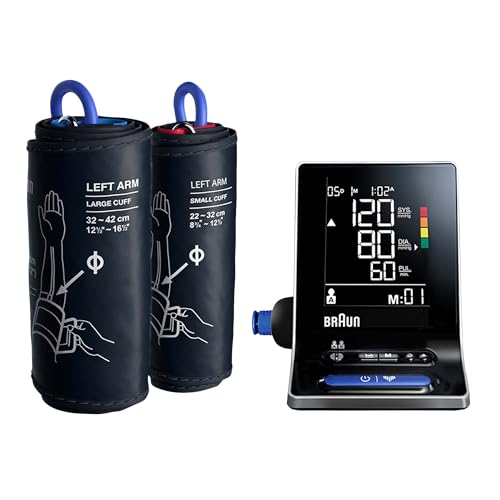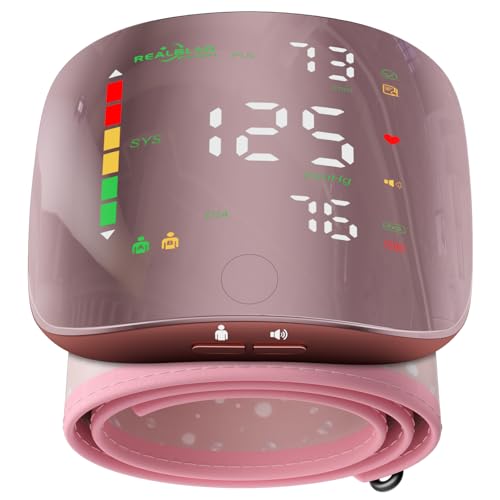

Blood Pressure Monitors
Blood Pressure Monitors help people compare devices for checking blood pressure at home. Consider whether an upper-arm or wrist model suits your preference, and check the stated cuff size against the measurement guidance on the product page. Displays, memory features and power options can differ, so look at each listing to see what is included and how readings are presented. Follow the device instructions when using a monitor, and discuss readings with a healthcare professional if you need help interpreting them.
Choosing a monitor type
Home blood pressure monitors are commonly designed for use on the upper arm or wrist. The style affects where the cuff is worn, so consider which feels practical for the intended user and check the instructions for how it should be positioned. Compare the stated cuff size with the measurement guidance for the individual product; a suitable fit is important when taking a reading.
Product pages may also explain how to start a reading and whether the device needs to be connected to another part or accessory. Check what is included rather than assuming that every monitor has the same setup.
Displays and everyday features
Look at how readings are shown and whether the display is easy for the intended user to read. Some models may offer stored readings or show pulse alongside blood pressure; check the individual listing for the functions provided. Power arrangements can vary too, so review the product details and instructions to see what the device requires.
For any monitor, read the supplied guidance before use and follow its directions for taking and recording readings. Readings can vary, and a home monitor does not provide a diagnosis. If you are unsure what a reading means, ask a healthcare professional for advice rather than relying on the device alone.
Compare product details
When comparing Blood Pressure Monitors, focus on cuff style and size, display layout, any memory or pulse display functions, and the stated power requirements. Check that the operating instructions are clear for the person who will use the monitor. Individual features and setup vary, so use each product page to confirm the details before choosing.
Understanding the displayed figures
Blood pressure is commonly displayed as two figures: one for pressure during a heartbeat and one for pressure between heartbeats. Some monitors also show pulse. The screen layout and units can vary, so use the device instructions to understand what is displayed. These readings are estimates, not a diagnosis; ask a healthcare professional if you need help interpreting them.
Buyers guideHow to choose Blood Pressure MonitorsCuff style · Cuff size · Display and controls · Memory or app features
- Cuff styleThe format affects fit and how you handle the monitor
- Cuff sizeA suitable fit is an important part of using the monitor as instructed
- Display and controlsClear presentation can make the monitor easier to use and read
- Memory or app featuresThese options may help organise information, but add features to learn
Showing 1–12 of 75 results
-
Blood Pressure Monitors
Aspedan TMB-2284-B Smart Upper Arm Blood Pressure Monitor
£40.99 View on Amazon -
Blood Pressure Monitors
Beurer BM 25 Upper Arm Blood Pressure Monitor, Blue, 22-42 cm Cuff
£15.99 View on Amazon -
Blood Pressure Monitors
Beurer BM 27 Upper Arm Blood Pressure Monitor, 22-42 cm Cuff
£29.99 View on Amazon -
Blood Pressure Monitors
Braun ExactFit 2 Upper-Arm Blood Pressure Monitor BUA4050
£20.99 View on Amazon -
Blood Pressure Monitors
Braun ExactFit 3 Upper Arm Blood Pressure Monitor, BUA6150CEME, 2 Cuff Sizes
£32.99 View on Amazon -
Blood Pressure Monitors
Braun ExactFit 5 Connect Upper Arm Blood Pressure Monitor, BUA6350EU
£40.99 View on Amazon -
Blood Pressure Monitors
CheckMe BP2A Rechargeable Upper Arm Blood Pressure Monitor, 22-42 cm Cuff
£42.59 View on Amazon -
Blood Pressure Monitors
Double love Pink Wrist Blood Pressure Monitor with LED Touch Screen
£20.18 View on Amazon -
Blood Pressure Monitors
Duronic BPM95 Automatic Upper-Arm Blood Pressure Monitor, 22-32 cm Cuff
£9.49 View on Amazon